




Intel presenta Thunderbolt 4 combinando lo mejor de Thunderbolt 3 y USB4 con conectividad universal y seguridad mejorada
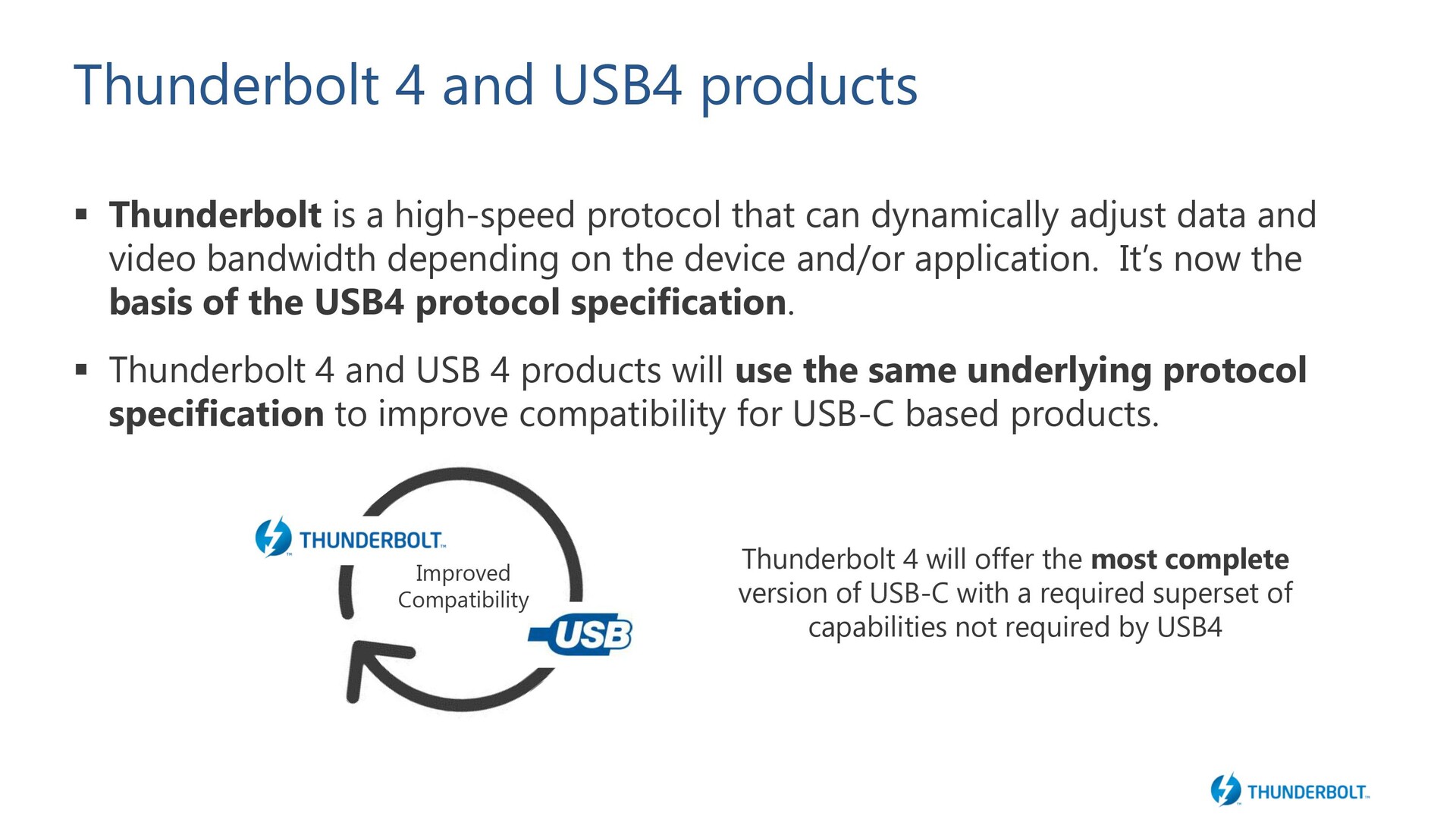
Durante el Computex 2019, Intel habló sobre la integración de las capacidades de Thunderbolt 3 en la especificación USB4. Más tarde, ese mismo año, la especificación del USB4 se finalizó con el objetivo de disminuir la confusión entre varios tipos de USB y permitir el uso de un conector USB tipo C estándar. Hoy en día, Intel está oficialmente quitando los envoltorios del estándar Thunderbolt 4 (TB 4). Thunderbolt 4 será ahora la base del protocolo USB4 y también ofrecerá algunas características adicionales además de la especificación estándar del USB4.
Thunderbolt 4 features
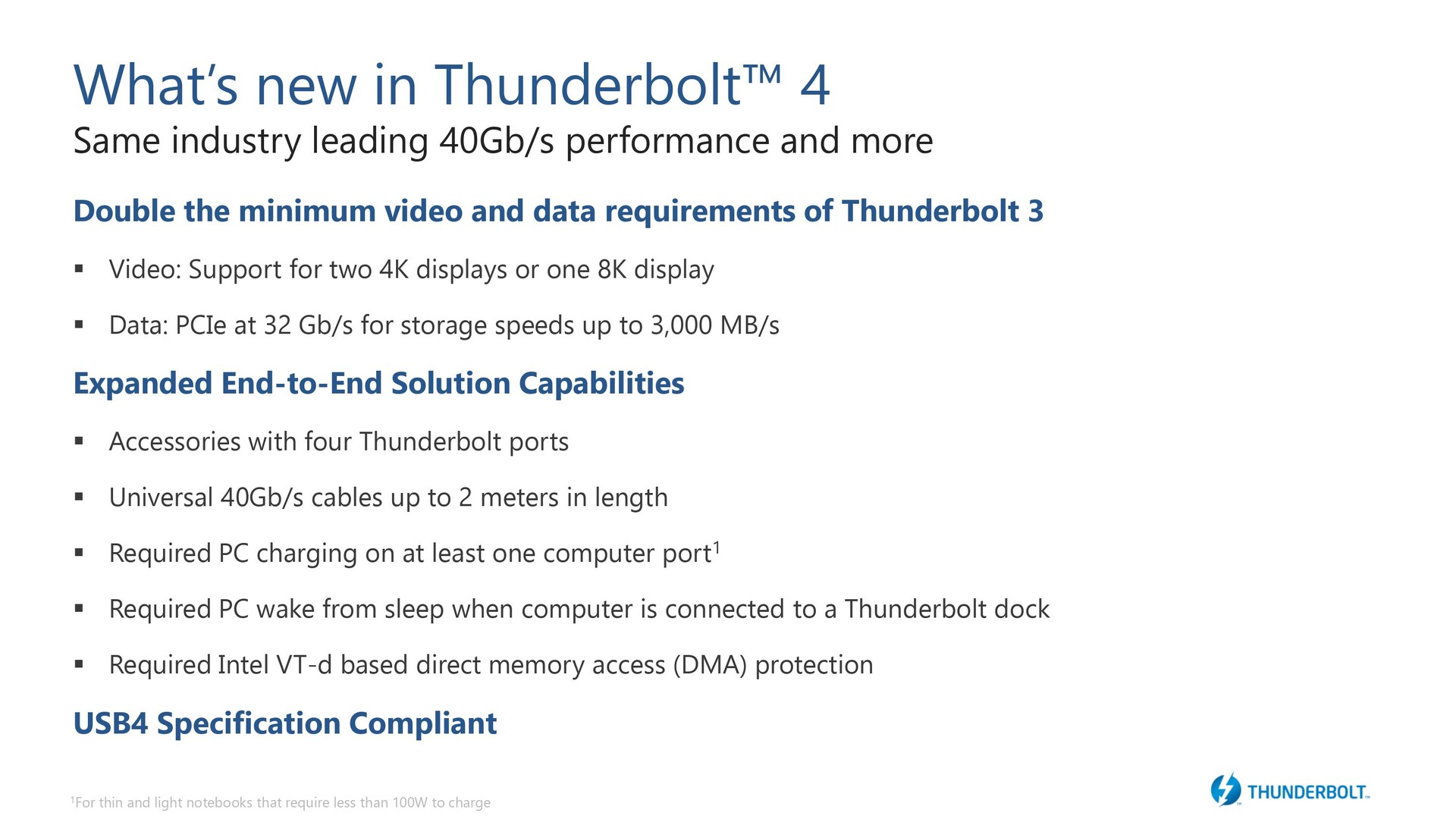
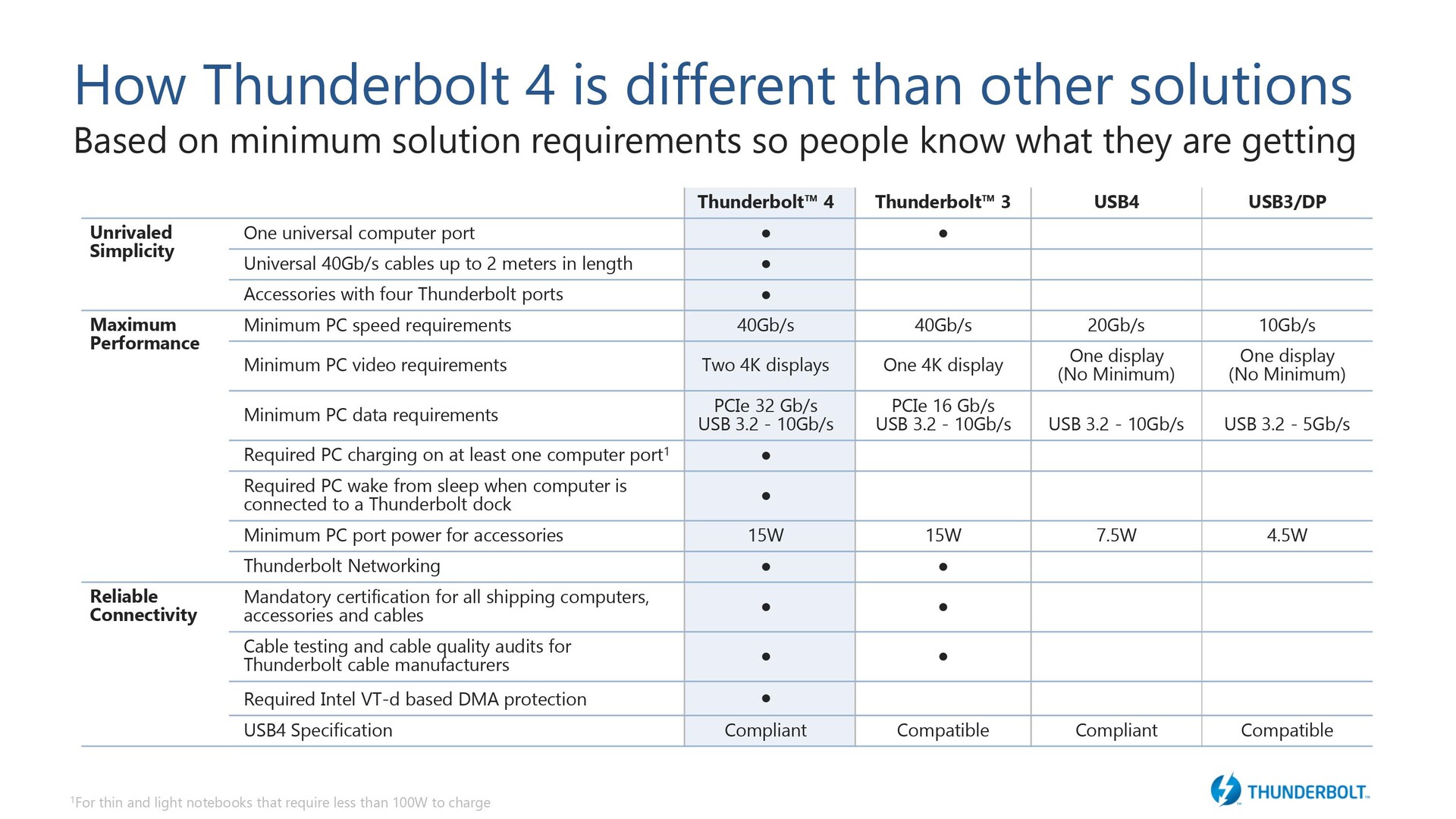
Thunderbolt 4 brings no changes to the total throughput — we still get the same 40 Gb/s bandwidth that Thunderbolt 3 offered. However, the requirements for a device to be certified for Thunderbolt 4 have now changed. For instance, a TB 4 device will now support two 4K displays or one 8K display with a PCIe data throughput at 32 Gb/s. Other requirements include that at least one of the TB 4 ports on the PC should allow for charging and the ports should allow the PC to wake up from standby. TB 4 also uses Intel VT-d for Direct Memory Access (DMA) protection.
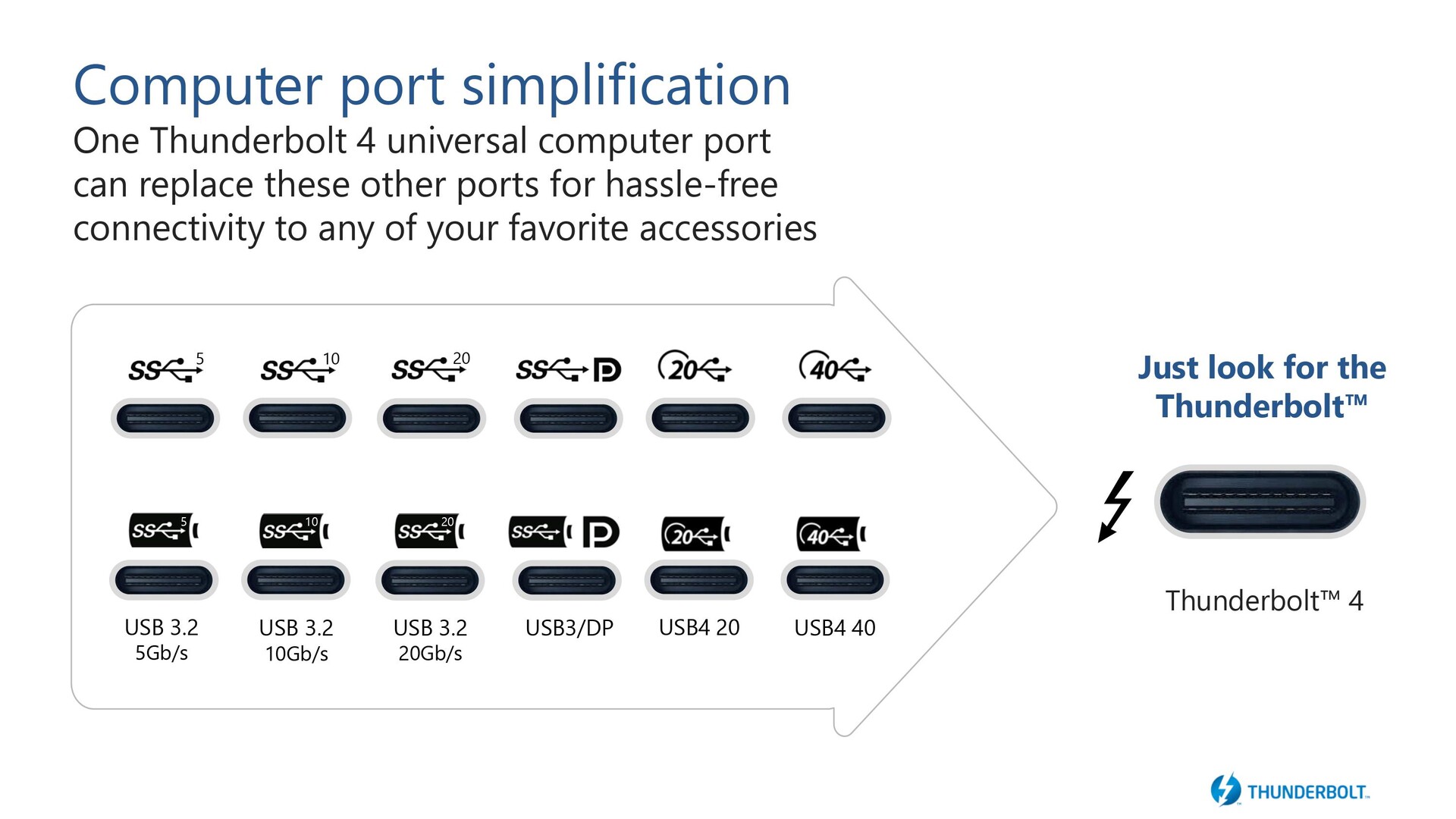
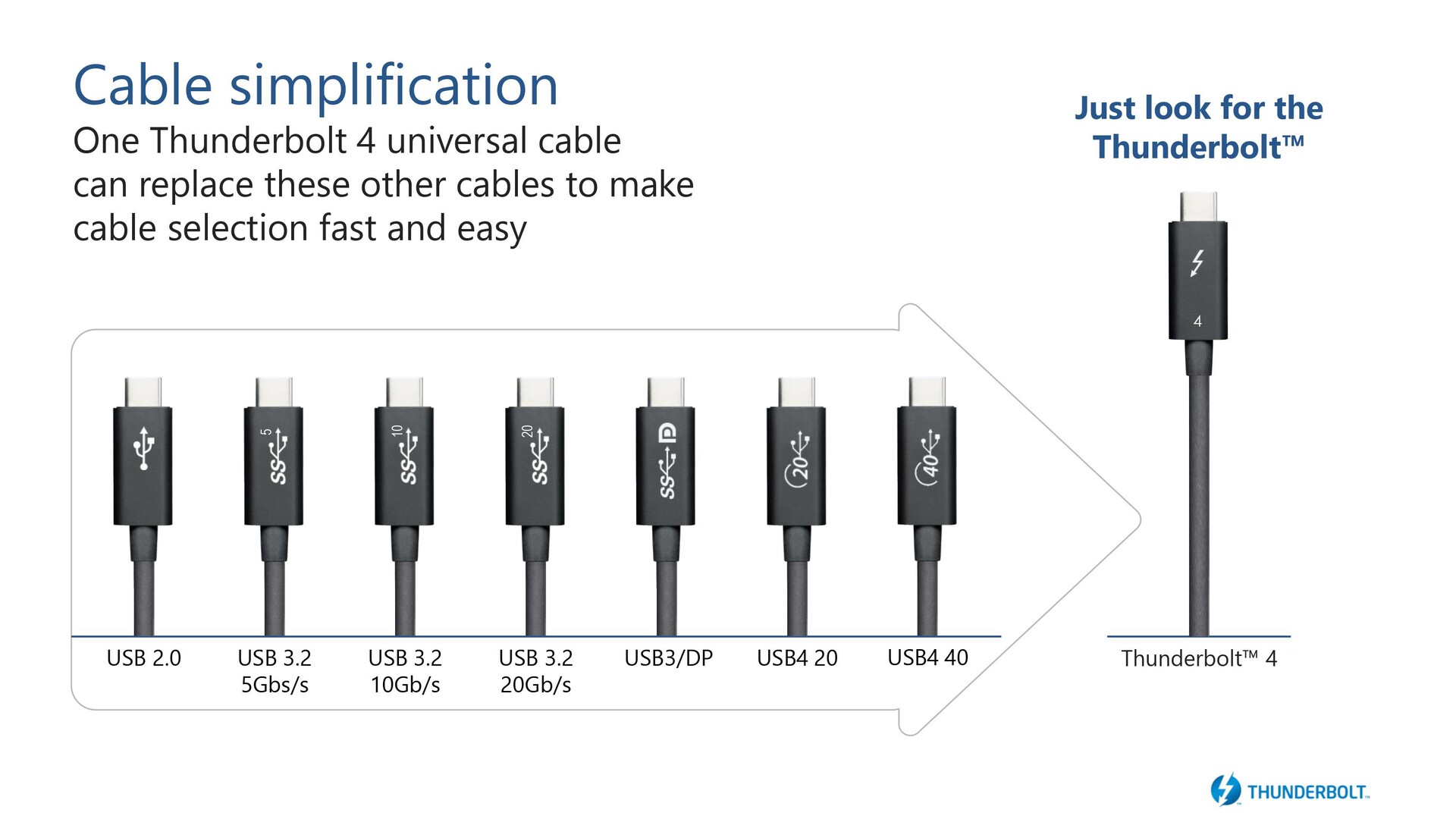
Unlike USB4, which offers a choice between 20 Gb/s and 40 Gb/s throughput, TB 4 is always 40 Gb/s and uses a common Type-C connector that allows for all capabilities offered by the protocol including DisplayPort-out and power delivery.
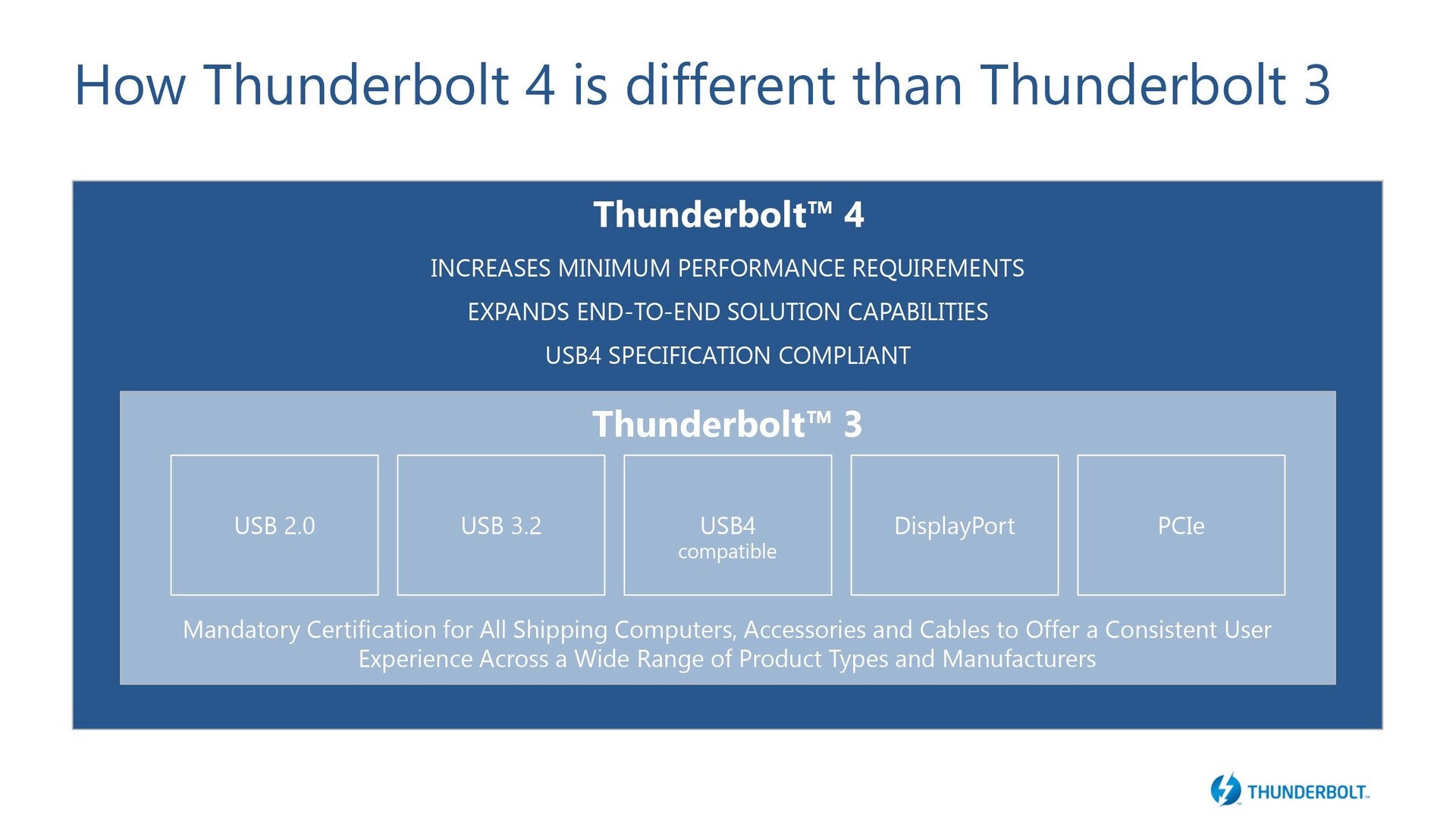
How Thunderbolt 4 is different from Thunderbolt 3
As discussed earlier, TB 4 builds upon TB 3 and offers parity with the USB4 spec. The table below illustrates the differences between the various USB specs available. The additional features offered by TB 4 include the support for 40 Gb/s cables from 0.2 m to 2 m in length. Intel said that it is looking to expand cable length to 5 to 50 m in the future. TB 4 now mandates that the PC or laptop support dual 4K display outputs, PCIe bandwidth of 32 Gb/s (2x that of the requirement of TB 3), and support for VT-d among others.
Intel said that TB 4 can be implemented irrespective of the processor type without any licensing fees, which means upcoming ARM-based Macs as well as future AMD processors are also likely to offer TB 4 support.
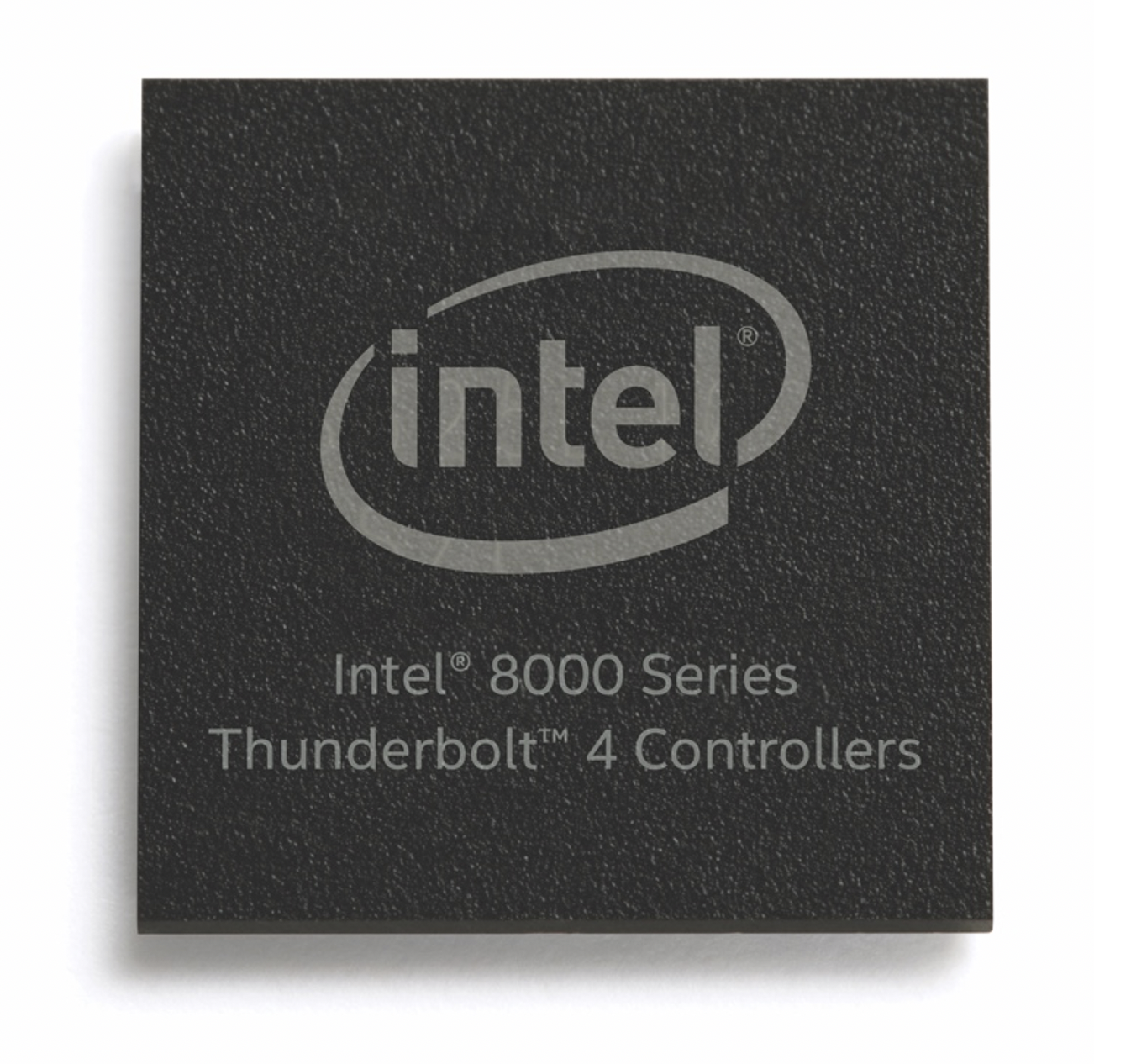
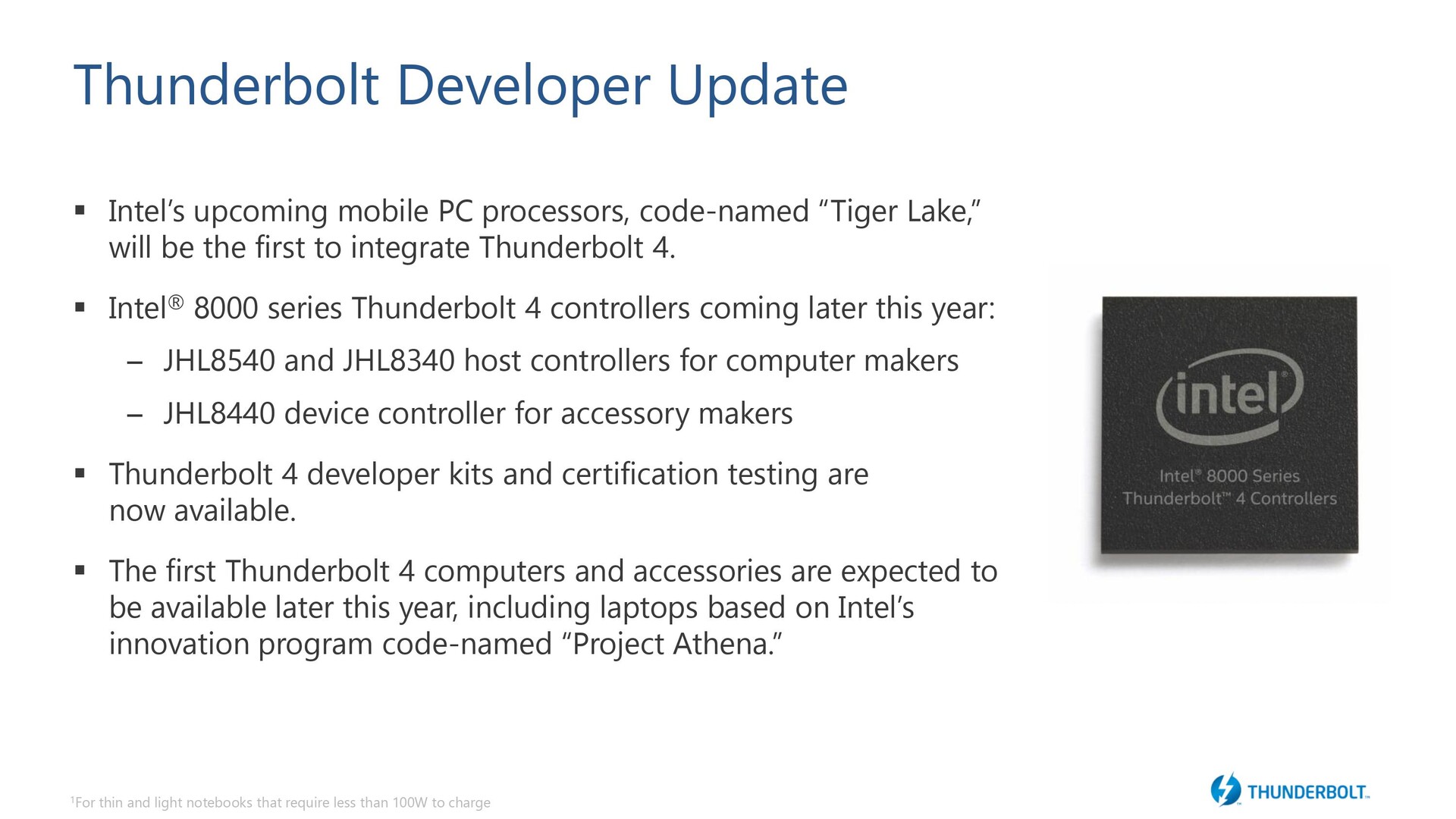
Intel is also introducing a new controller for TB 4. The Intel 8000 series TB 4 controllers include the JHL8540 and JHL8340 host controllers for PC OEMs, and the JHL8440 controller for accessory makers. The new 8000 series TB 4 controllers will make their debut in PCs and accessories later this year starting from the upcoming Tiger Lake laptops including the ones made according to the Project Athena guidelines.
Thunderbolt 4 accessories
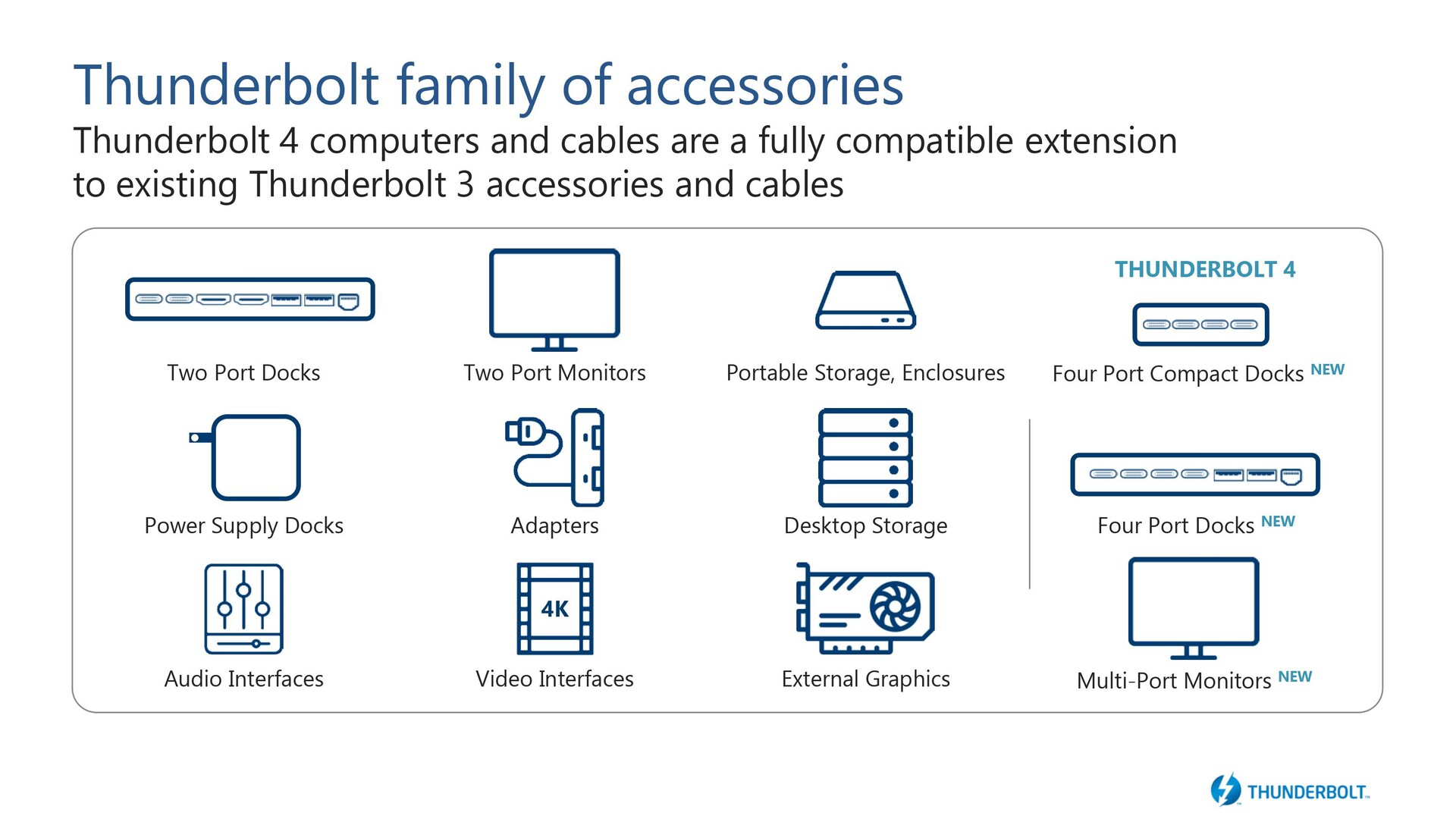
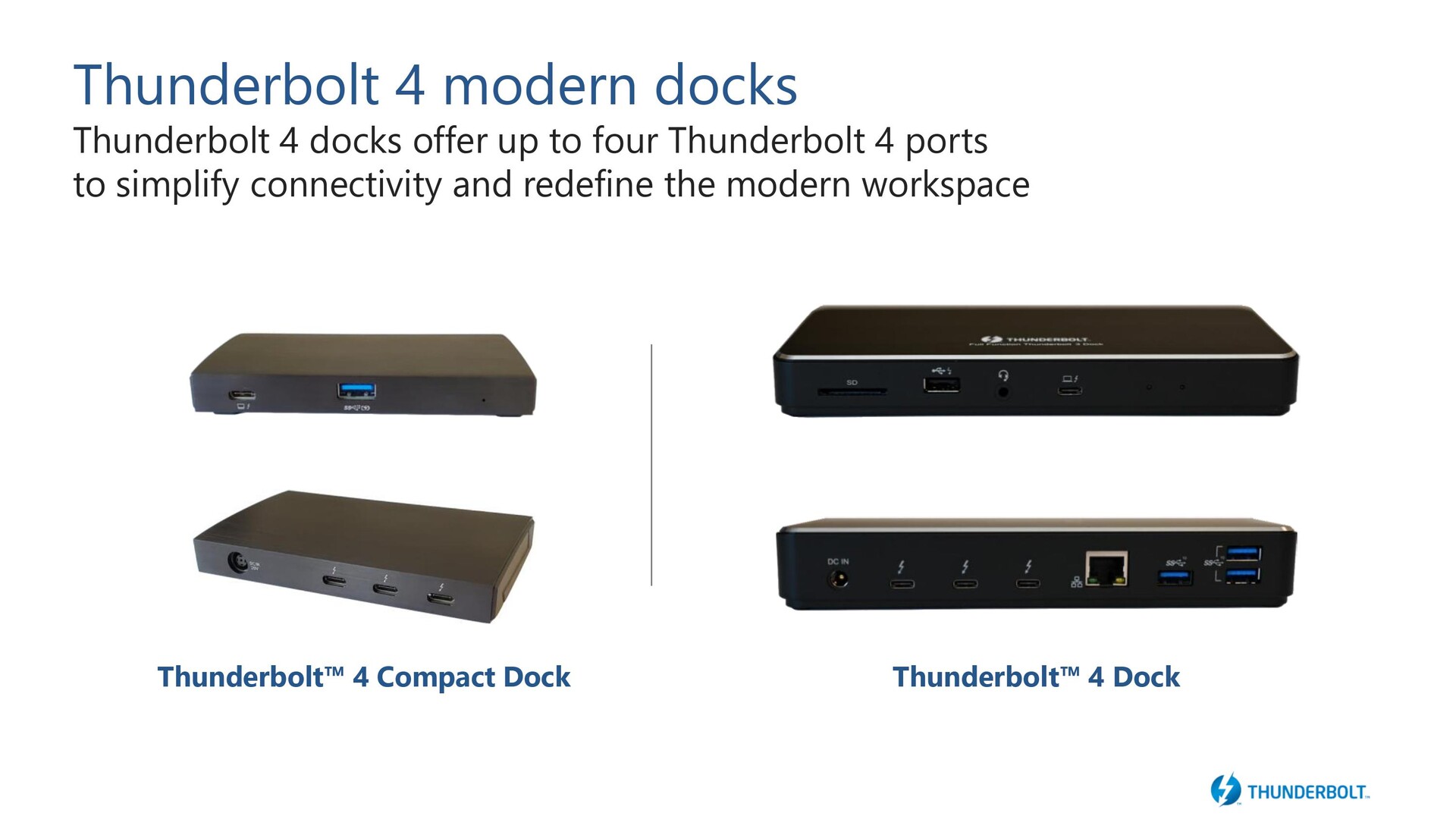
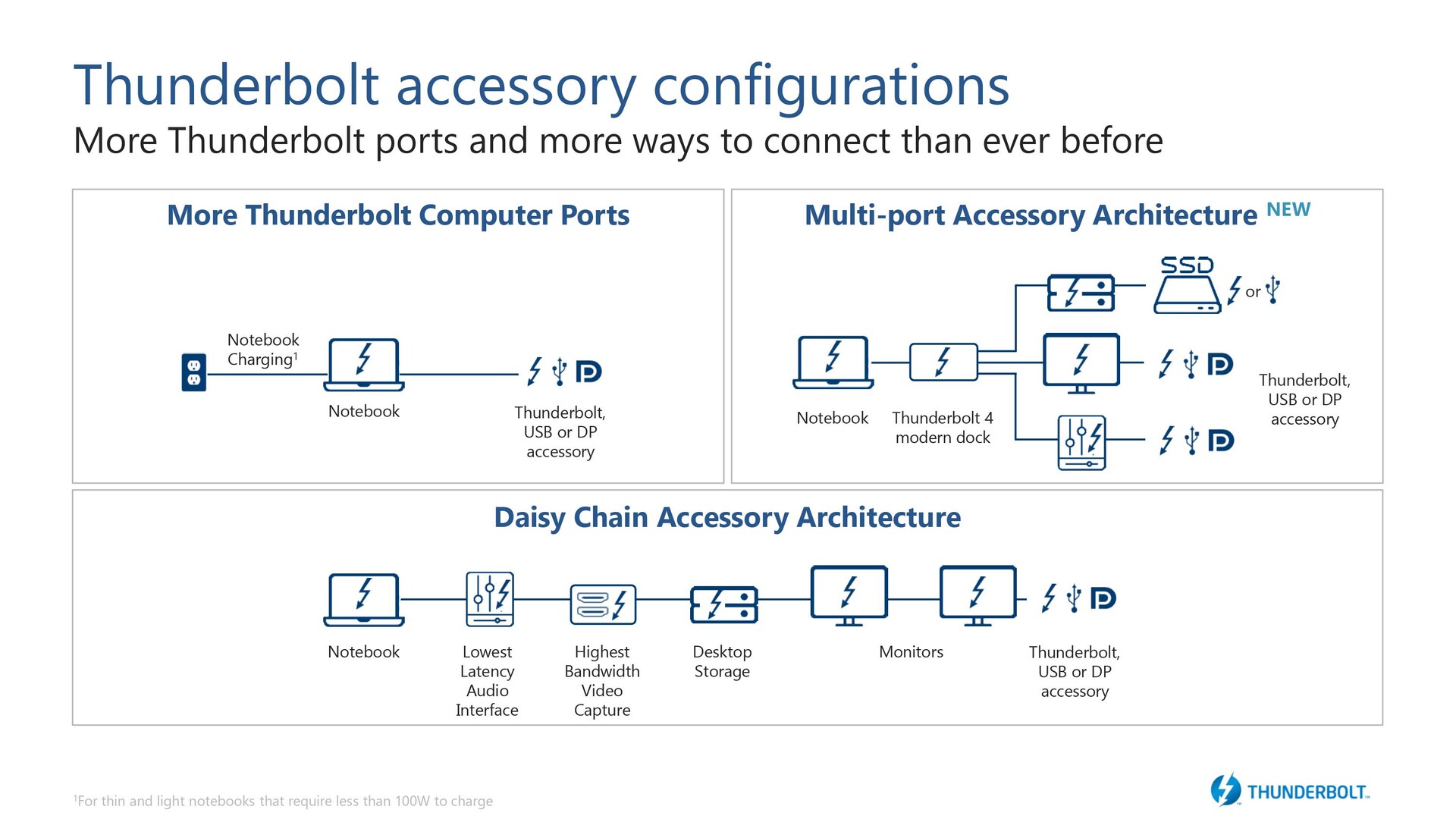
Intel said that a wide range of accessories for TB 4 would be made available starting later this year. All TB 4 docks can offer up to four TB 4 ports. TB 4 now supports a multi-port accessory architecture wherein a single dock will now be able to connect to dual 4K displays, allow for external PCIe SSDs with storage speeds up to 3,000 MB/s and still offer enough bandwidth for connecting additional peripherals. Devices using TB 3 and multiple USB standards can be daisy-chained together in whatever manner the user pleases and all these devices will interface with the PC via a single TB 4 port.
Thunderbolt 4 security
TB 4 makes it mandatory that PC and Macs support Intel Virtualization Technology for Directed I/O or simply, VT-d. VT-d is built into most modern Intel processors and is essentially a method to prevent peripherals from unauthorized memory access. This is important as USB Type-C allows for connecting PCIe devices externally just as they were installed internally, and these devices are capable of DMA without having to involve the CPU. What Intel VT-d does is that it remaps DMA (DMA-r) and isolates a designated memory region for each connected peripheral. This prevents the peripheral from reading or writing to other parts of memory that aren't its own.
Support for VT-d and DMA remapping is present in Windows 10 1803 and above (Kernel DMA Protection), MacOS 10.8.2 and above, and Linux kernel version 4.21 and above.
Source(s)
Intel Press Brief
 Add as a preferred source on Google


